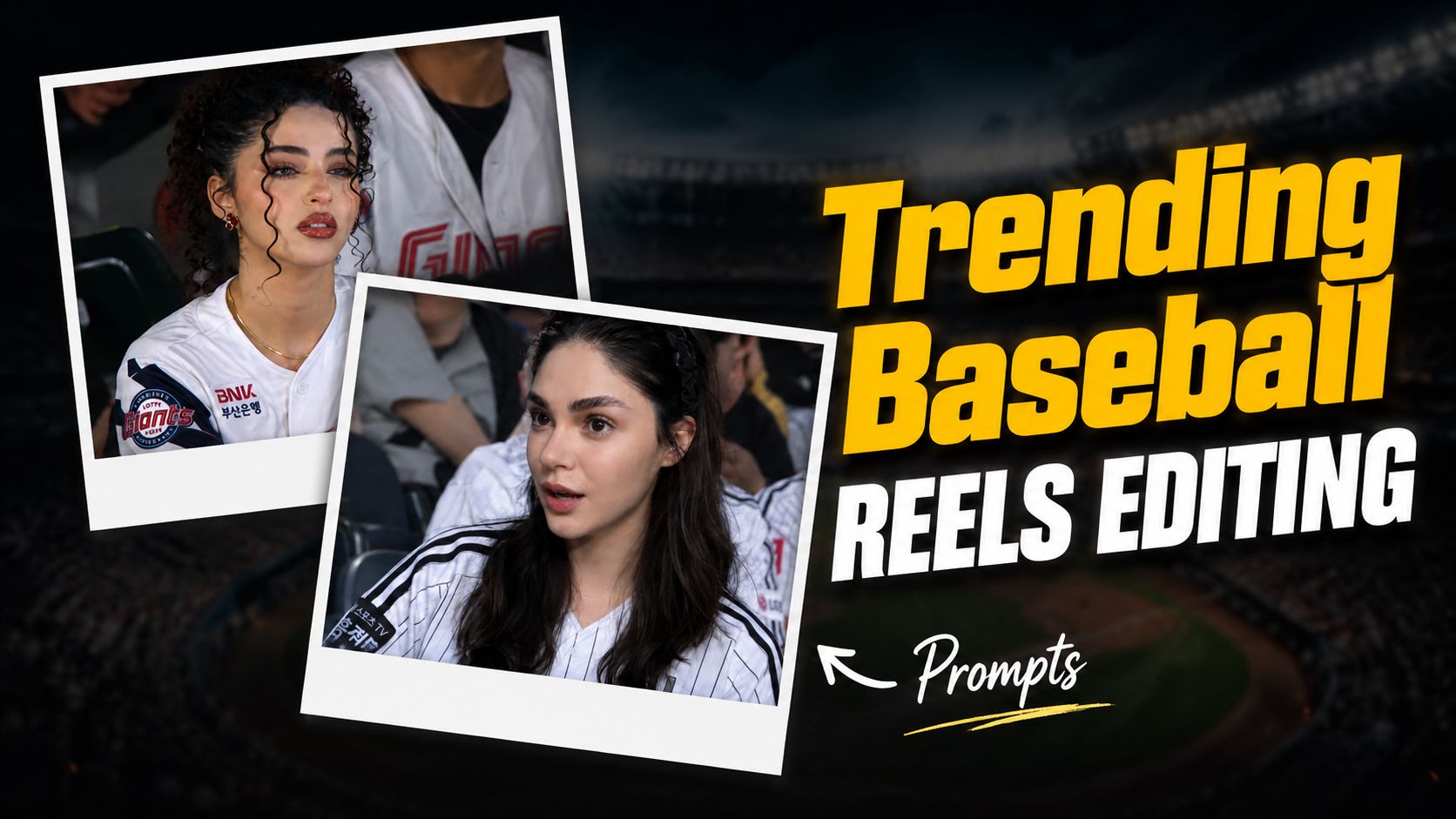
If your Instagram or TikTok feed has been full of suspiciously cinematic clips of people sitting casually in a packed Korean baseball stadium — caught by a live broadcast camera — you are not imagining things. The Korean Baseball Broadcast AI trend is the biggest viral moment of 2026, and it all started with a single five-second video that racked up over 15 million views before anyone realized the person in it was completely AI-generated.
The best part? You do not need Photoshop skills, an expensive camera, or even a plane ticket to Seoul. With a single selfie, a well-crafted AI prompt, and a couple of free tools, you can drop yourself into a live KBO broadcast in under ten minutes. This guide covers exactly how to do it — from the tools you need to the exact prompts that actually work — plus the insider details that separate a convincing broadcast clip from an obvious fake.
Whether you are a content creator chasing viral reach, a photo editor building your editing portfolio, or just someone who wants to try the coolest new AI trend of the year, this is your complete walkthrough.
What Is the Korean Baseball Broadcast AI Trend?
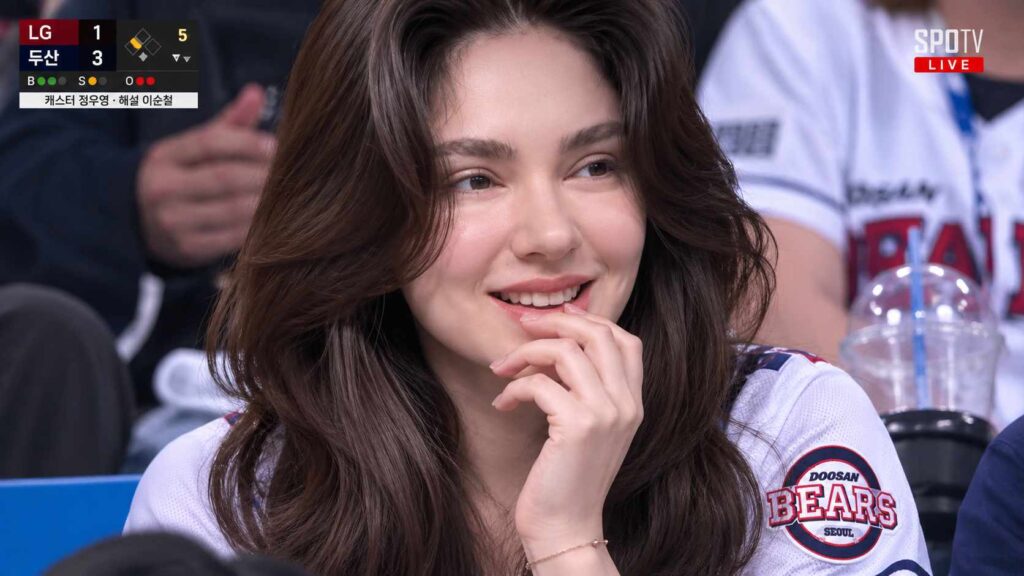
The Korean baseball AI trend — also known as the KBO TV trend or Korean AI Courtside Trend — is a viral format where creators use generative AI tools to transform a regular selfie into a realistic live sports broadcast clip. The output looks exactly like a TV camera accidentally panned across you sitting in the stadium crowd during a Korean Baseball Organization (KBO) game.
The visual formula is very specific: a candid expression, a white baseball jersey, cheering sticks nearby, a packed stadium crowd slightly blurred behind you, a faint “LIVE” graphic in the corner, and the unmistakable telephoto compression of a real broadcast camera. It does not look like a polished influencer photo. It looks like a real, unplanned TV moment — and that realism is exactly why it goes viral.
How did it start? On May 2nd, 2026, a user on X posted a short AI-generated clip of a young woman watching a Hanwha Eagles vs Doosan Bears game, captioned “The average Korean woman.” The clip spread rapidly. Sharp-eyed viewers eventually spotted that the scoreboard referenced a pitcher who retired in 2017, exposing the video as entirely AI-generated. Rather than killing the trend, that discovery launched it. Within days, millions of creators worldwide were trying to make their own version.
By mid-May 2026, Know Your Meme had catalogued it officially. The format quickly jumped from Korean platforms to Instagram Reels, TikTok, and X globally, with creators placing themselves not just in KBO stadiums but in NFL Jumbotrons, NBA courtsides, and even Formula 1 paddocks using the same core prompt structure.
Why Does This Trend Work So Well on Social Media?
Understanding why this trend performs so well will help you make a better version of it. There are three reasons these clips consistently go viral.
Realism over perfection. Most AI content looks too clean, too symmetrical, and too polished. The Korean broadcast aesthetic deliberately goes the other direction — slight motion blur, compression noise, imperfect lighting, a candid expression. Audiences are conditioned to trust “messy” broadcast footage as real, which makes well-crafted versions genuinely convincing.
Cultural recognition. KBO broadcasts have a long tradition of cutting to attractive or interesting spectators during downtime. Korean audiences immediately recognize this “beauty cut” tradition. AI simply made it possible for anyone, anywhere to grant themselves that broadcast spotlight on demand.
Short, shareable, and surprising. The clip is typically 4 to 5 seconds long — perfect for Reels and TikTok loops. The surprise factor (“wait, is that real?”) drives replays, comments, and shares automatically.
Tools You Need for the Korean Baseball AI Video Trend
The standard workflow uses two or three tools chained together. Here is what works best in 2026.
Step 1 — Image Generation: ChatGPT or Google Gemini
Your first step is generating a realistic still image that looks like a live broadcast screenshot. ChatGPT (GPT-4o with DALL·E 3) and Google Gemini are the two most accessible options. Both allow you to upload a reference photo of yourself and generate a result based on your actual face rather than a generic AI character.
Step 2 — Video Animation: Kling AI or Google Flow
A still image alone is good for Instagram posts and thumbnails. To create the actual broadcast video — with subtle head movement, natural blinking, crowd cheering in the background, and that slight broadcast camera shake — you need a video generation tool.
- Kling AI (kling.ai) — Currently the most popular choice for this trend. Kling 3.0 produces cinematic motion that feels genuinely broadcast-real.Free. credits available.
- Google Flow / Veo 3 — Google’s video generation tool. Excellent for smooth, realistic crowd movement. Access via Google AI Studio.
- Sora — OpenAI’s video tool. High quality but more limited availability.
Step 3 — Final Edit: CapCut or VN Editor
After generating your clip, use CapCut (free, mobile and desktop) to crop to 9:16 for Reels and TikTok, add a subtle scoreboard overlay, adjust brightness slightly downward, and export. This final polish step is what separates content creators from casual users.
This is where most people go wrong. Generic prompts produce generic, obviously fake results. The key is telling the AI to deliberately avoid perfection. Here are the prompts that consistently produce the most convincing results.
Image Prompt — ChatGPT / Gemini (Upload your selfie first)
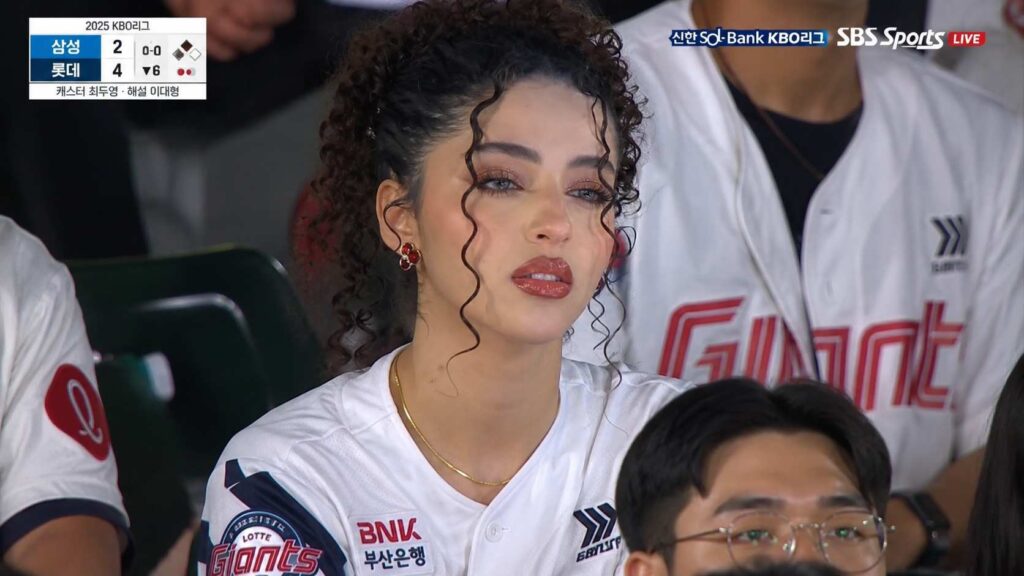
Image Prompt 1 👇
Video Prompt — Kling AI / Google Flow (Use your generated image as the first frame)
Video Prompt 👇
The single most important phrase in both prompts is “broadcast compression noise.” This instruction tells the AI to add the subtle visual imperfections that make real TV footage look different from a studio shoot. Without it, the output looks polished but fake. With it, the result looks genuinely broadcast-real.
Step-by-Step Tutorial: How to Do the Korean Baseball AI Trend
- Choose your photo. Use a clear, well-lit portrait where your face is visible and not obscured. Natural daylight photos work better than flash photography. Avoid heavily filtered images — the AI needs your real face to preserve identity accurately.
- Open ChatGPT or Gemini. Sign in and start a new chat. Upload your photo using the attachment icon.
- Paste the image prompt above. Send it exactly as written. If the first result looks too polished or AI-like, follow up with: “Make it look less perfect — add more broadcast compression noise and reduce skin smoothing.” Download your still image. Save it at the highest resolution available.
- Open Kling AI or Google Flow. Upload your still image as the reference or first frame.
- Paste the video prompt above. Generate your 4 to 5 second clip. This typically takes 1 to 3 minutes
- Import into CapCut. Crop to 9:16 for Stories and Reels. Lower brightness by about 5 to 10 percent. Add a subtle scoreboard text overlay if desired. Export at 1080p.
- Post during peak hours. For maximum reach on Instagram Reels, post between 6 and 9 PM in your audience’s primary timezone. Use hashtags like #KBOTrend, #AIVideoTrend, #BaseballBroadcastAI, and #NewAITrend alongside your niche tags.
Common Mistakes That Make Your Video Look Fake
The difference between a convincing KBO broadcast clip and an obvious deepfake usually comes down to one or two specific errors. Here are the most common ones and how to avoid them.
- Allowing AI beautification. Every AI tool tries to smooth skin, enlarge eyes, and slim the jaw by default. Your prompt must explicitly forbid this. The “real broadcast” look requires realistic skin texture, slight sweat glow, and natural proportions.
- strong Using a filtered selfie. If your source photo already has a Snapchat or Instagram filter on it, the AI will amplify those enhancements. Use a natural, unfiltered photo.
- Skipping the compression noise instruction. This single phrase is the most important part of the prompt. It adds the subtle visual “messiness” that makes broadcast footage look credible.
- Generating video without a reference frame. If you ask Kling or Flow to generate a video from a text prompt alone without uploading your still image, the result will not preserve your face accurately. Always use your ChatGPT-generated still as the first frame.
- Making the expression too perfect. Real broadcast cutaways catch people mid-reaction — surprised, laughing, slightly distracted. A perfectly posed, full-smile expression immediately looks staged.
How to Adapt This Trend Beyond Korean Baseball
The core prompt structure works for virtually any live sports broadcast. Simply swap the sport and network references. Replace “KBO baseball stadium” with “NFL stadium” or “Premier League ground,” and replace “SPOTV broadcast aesthetic” with the relevant network style. Creators are already successfully running this format for NBA courtsides, F1 paddocks, IPL cricket matches, and even Wimbledon Centre Court.
As AI video tools continue improving through late 2026, the same format is beginning to expand beyond sports into concert crowds, award show audiences, and reality TV backgrounds. The underlying technique — candid telephoto framing, broadcast compression, and identity-preserving image generation — will remain relevant long after any single trend cycle ends.
Conclusion
The Korean Baseball Broadcast AI trend is one of the clearest examples of how accessible generative AI has become in 2026. What started as a single viral clip of a fictional stadium fan has turned into a global creative format that anyone can participate in — with just a selfie and a few minutes of effort.
The key takeaways are simple: use an unfiltered photo, include “broadcast compression noise” in your prompt, generate a still image in ChatGPT or Gemini first, animate it with Kling AI or Google Flow, and finish in CapCut. Follow those steps and your result will look genuinely broadcast-real rather than obviously AI-generated.
Ready to go viral? Copy the prompts above, open ChatGPT, and make your first KBO broadcast clip today. When you post it, drop the link in the comments — we would love to see what you create. 🎉
Related guides on this site:
→ Top Viral AI Photo Editing Trends This Month
FAQs — Korean Baseball Broadcast AI Trend
What is the Korean Baseball Broadcast AI trend?
It is a viral 2026 social media trend where people use AI tools like ChatGPT and Kling AI to transform a selfie into a realistic 4 to 5 second video clip that looks like a live Korean baseball (KBO) broadcast camera accidentally caught them sitting in the stadium crowd.
Is the Korean baseball AI trend free to do?
Yes, largely. ChatGPT’s free tier supports image generation with some daily limits. Kling AI and Google Flow both offer free credits. CapCut is completely free. For faster results and more generations, ChatGPT Plus costs around $20 per month.
Why most Korean baseball AI videos look fake?
The most common reason is that AI tools default to beautified, overly perfect outputs. A real broadcast looks imperfect — slight motion blur, compression noise, natural skin texture. Your prompt must explicitly instruct the AI to avoid beautification and include broadcast-style imperfections.
Can I use this trend for sports other than Korean baseball?
Absolutely. The same prompt structure works for NFL, NBA, Premier League, IPL cricket, F1, and more. Simply replace the Korean baseball references with your chosen sport and broadcast network style.
What is the best AI tool for the Korean baseball broadcast video trend in 2026?
The most popular workflow is ChatGPT or Google Gemini for the still image, followed by Kling AI 3.0 for video animation. Kling currently produces the most realistic broadcast-style motion of any freely accessible tool.
Do I need to upload my own photo to do this trend?
You do not have to, but using your own photo produces far better results because the AI can preserve your actual facial features. Without a reference photo, the AI generates a fictional person rather than a version of you.