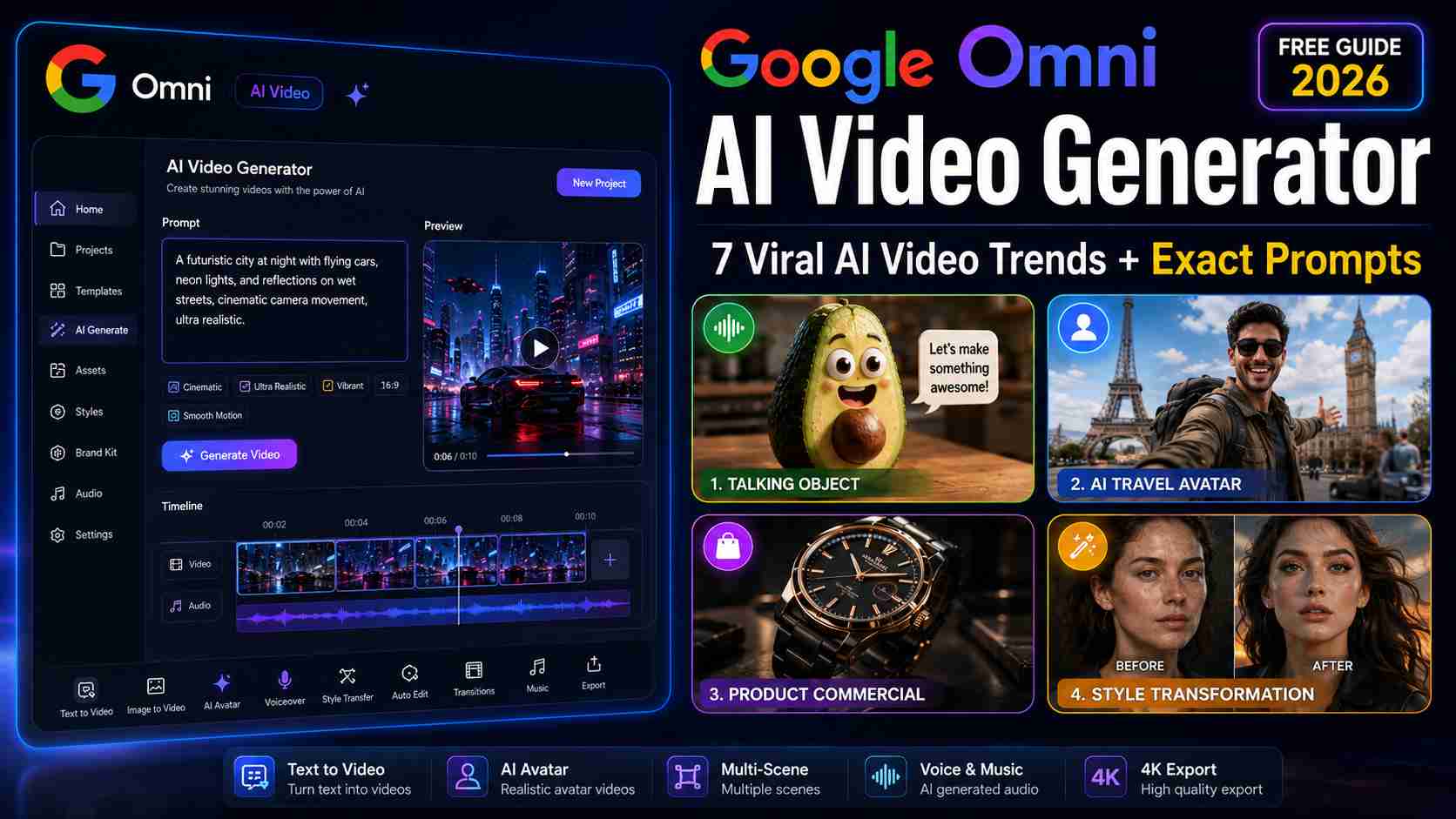
AI video creation is moving faster than ever, and one name is generating enormous attention among creators, marketers, and content enthusiasts: the Google Omni AI Video Generator.
If you’ve recently watched an avocado arguing with a blender, an AI avatar visiting five countries in ten seconds, or a realistic product commercial created without a camera, you’ve already seen the impact of this new generation of AI video tools.
Unlike traditional editing software that requires timelines, effects, and hours of manual work, Google’s latest AI-powered workflow focuses on something much simpler: conversation. You describe what you want, refine it through chat, and the system generates the video.
In this guide, you’ll learn:
- What Google Omni AI Video Generator is
- How Google Flow Omni works
- Whether Google Omni AI is free
- The most viral AI video trends in 2026
- Exact prompt frameworks creators are using
- Common mistakes to avoid
- How to get better results from every generation
Whether you’re creating YouTube Shorts, Instagram Reels, product advertisements, or experimental AI content, this guide will help you understand how the ecosystem works.
What Is Google Omni AI Video Generator?
The Google Omni AI Video Generator is Google’s next-generation multimodal video creation technology designed to generate, edit, and transform videos using natural language, images, audio, and existing footage.
Instead of learning complex editing software, users can simply describe the result they want.
For example:
Create a cinematic advertisement showing a luxury smartwatch rotating slowly on a reflective black surface with dramatic rim lighting and premium commercial aesthetics.
The system interprets the request and generates a video based on those instructions.
This approach dramatically lowers the barrier to entry for creators who want professional-looking content without advanced editing skills.
What Makes It Different?
Most traditional AI video tools focus on a single workflow.Google Omni combines multiple capabilities:
Google Omni combines multiple capabilities:
- Text-to-video generation
- Image-to-video animation
- Video style transfer
- Character consistency
- AI avatars
- Voice integration
- Product showcase creation
- Storyboard-to-video workflows
The result is a more flexible creative system rather than a simple video generator.
Key Takeaway
Google Omni is designed to make video creation feel more like having a conversation than using traditional editing software.
Google Flow Omni vs Google Omni Model: Understanding the Ecosystem
One of the biggest sources of confusion is the difference between Google Flow Omni and the Google Omni model itself.
Many users search for:
- Google Flow Omni
- Google Omni Model
- Gemini Omni AI
without understanding how they connect.
The Google Omni Model
Think of the Omni model as the engine.
It’s responsible for:
- Understanding prompts
- Processing images
- Analyzing audio
- Maintaining character consistency
- Generating video outputs
Users generally don’t interact with the model directly.
Google Flow Omni
Google Flow acts as the creative workspace where users interact with Omni.
Inside Flow, users can:
- Upload images
- Add prompts
- Generate videos
- Refine outputs
- Create multiple versions
- Export final content
Simple Explanation
| Component | Purpose |
| Google Omni Model | AI engine |
| Google Flow Omni | User workspace |
| Publishing Platforms | Distribution |
For most creators, Google Flow is where daily work happens.
Internal Linking Opportunity
Is Google Omni AI Free?
One of the most common questions people ask is whether Google Omni AI is available for free.
The answer depends on how you plan to use it.
Free Access
For casual creators and beginners, free access is often enough to:
- Test prompts
- Create short videos
- Learn the workflow
- Experiment with styles
Paid Access
Advanced users may require paid plans for:
- Higher generation limits
- Longer video clips
- Faster processing
- Commercial workloads
- More frequent experimentation
Should Beginners Pay?
Not immediately.
A better approach is:
- Learn prompt writing.
- Test free generations.
- Understand your workflow.
- Upgrade only when limitations affect productivity.
Many creators waste credits generating random experiments instead of refining prompts first.
The quality of your prompt usually has a greater impact than the plan you’re using.
Pro Tip
The quality of your prompt usually has a greater impact than the plan you’re using.
How to Use Google Omni AI Video Generator
The fastest way to improve results is understanding the basic workflow.
Step 1: Start With a Clear Goal
Before opening the tool, decide:
- What type of video are you making?
- Who is the audience?
- What platform will you publish on?
A YouTube tutorial requires different pacing than an Instagram Reel.
Step 2: Choose Your Input
Google Omni can work with:
- Text prompts
- Images
- Existing videos
- Audio clips
For beginners, image-to-video workflows are often the easiest place to start.
Step 3: Structure Your Prompt Correctly
Most successful prompts follow a simple structure:
Subject → Camera → Lighting → Environment → Style
Example:
Athletic content creator sitting in a baseball stadium, medium telephoto broadcast camera angle, natural stadium lighting, crowded audience background, realistic Korean sports broadcast style.
This structure provides the model with clear instructions.
Step 4: Generate and Refine
Avoid deleting generations immediately.
Instead, use follow-up instructions:
- Make the lighting warmer.
- Slow down the camera movement.
- Add more depth of field.
- Improve facial realism.
This iterative process often produces better results than starting over.
Step 5: Export and Publish
After refining the result:
- Export the video
- Add captions
- Create a thumbnail
- Publish to your chosen platform
Key Takeaway
The best creators treat Omni like a creative partner, not a one-click video machine.
Why Creators Are Switching to Google Omni AI Video
The biggest reason isn’t technology.
It’s speed.
Traditional content creation often requires:
- Filming
- Editing
- Voice recording
- Motion graphics
- Color grading
With AI-assisted workflows, many of these steps become dramatically faster.
Example 1: Product Marketing
A small business owner uploads a single product image.
Within minutes they can generate:
- Commercial advertisements
- Social media clips
- Product reveals
- Promotional videos
without booking a professional studio.
Example 2: Content Creators
Creators can quickly test:
- New content formats
- Visual styles
- Thumbnail concepts
- Storytelling ideas
before investing significant production time.
Example 3: Educational Channels
Tutorial creators can generate visual explanations, animated demonstrations, and concept illustrations without building every scene manually.
Benefits Most Users Notice
- Faster production
- Lower costs
- Easier experimentation
- Greater creative flexibility
- More content output
However, success still depends on creativity, storytelling, and prompt quality.
The tool accelerates production, but it doesn’t replace strong ideas.
7 Viral Google Omni AI Video Trends Everyone Is Copying Right Now
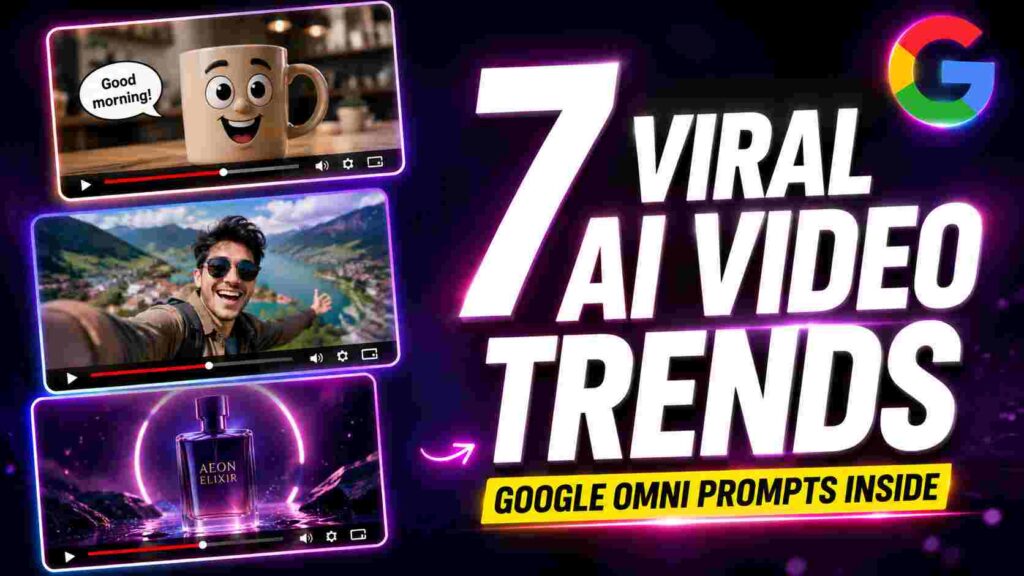
AI video tools become popular when creators discover repeatable formats that consistently attract attention. In 2026, several Google Omni video styles have spread rapidly across YouTube Shorts, Instagram Reels, and TikTok.
The following trends are among the easiest to recreate and the most effective for engagement.
Trend Ranking Table
| Trend | Difficulty | Viral Potential | Best Platform |
|---|---|---|---|
| Talking Object | Easy | ⭐⭐⭐⭐⭐ | Reels, Shorts |
| Avatar Travel | Medium | ⭐⭐⭐⭐⭐ | Shorts |
| Before & After Reveal | Easy | ⭐⭐⭐⭐⭐ | Reels |
| Product Showcase | Easy | ⭐⭐⭐⭐ | |
| Style Transfer | Medium | ⭐⭐⭐⭐ | Reels |
| Storyboard-to-Video | Medium | ⭐⭐⭐⭐ | YouTube |
| Absurd Crossovers | Easy | ⭐⭐⭐⭐⭐ | Shorts |
1. The Talking Object Trend
This is currently one of the easiest ways to create shareable AI content.
Examples:
- Talking avocado
- Angry coffee mug
- Complaining phone charger
- Lazy alarm clock
Copy-Paste Prompt
2. Avatar Travel Videos
A single AI avatar appears in multiple destinations while maintaining identity consistency.
Copy-Paste Prompt
3. Before-and-After Reveal
One of the simplest viral formats.
Popular categories:
- Fitness
- Home makeover
- Fashion
- Productivity
Copy-Paste Prompt
4. Product Showcase Videos
Perfect for affiliate marketers and e-commerce creators.
Copy-Paste Prompt
5. Style Transfer Videos
Transform footage into different artistic styles while preserving motion.
Copy-Paste Prompt
6. Storyboard-to-Video
Ideal for creators who want more control over storytelling.
Copy-Paste Prompt
7. Absurd Crossover Videos
One of the most entertaining formats currently trending.
Copy-Paste Prompt
Best Google Omni Video Ideas for YouTube Shorts
Short-form content creators should focus on formats that create curiosity within the first two seconds.
Recommended Formats
- Talking Objects
- AI Avatar Travel
- Before-and-After Reveals
- AI Character Transformations
- Unexpected Comedy Scenes
Why They Work
These formats:
- Create curiosity quickly
- Require minimal context
- Encourage rewatches
- Perform well with mobile viewers
Best Google Omni Video Ideas for Instagram Reels
Instagram rewards visually satisfying content.
Recommended Formats
- Product Showcase Videos
- Style Transfer Videos
- Cinematic AI Travel Clips
- Room Transformations
- Fashion Transformations
Why They Work
Instagram audiences often prioritize aesthetics over information.
Strong visuals usually outperform complex storytelling.
Credits Usage Guide
If you’re using limited generations, choose your projects carefully.
| Trend | Credit Usage |
|---|---|
| Talking Object | Low |
| Before & After | Low |
| Product Showcase | Low |
| Avatar Travel | Medium |
| Style Transfer | High |
| Storyboard Animation | High |
| Absurd Crossovers | Medium |
Best Value for Beginners
Start with:
- Talking Object
- Product Showcase
- Before-and-After Reveal
These usually provide the highest output-to-credit ratio.
Common Mistakes That Ruin AI Videos
Even powerful AI systems can produce weak results when instructions are unclear.
Mistake 1: Using Vague Prompts
Bad:
Make a cool video.
Good:
Cinematic drone shot of a tropical island at sunrise with golden lighting and ocean waves.
Mistake 2: Forgetting Camera Directions
Always specify:
- Close-up
- Medium shot
- Wide shot
- Drone shot
- Selfie angle
Mistake 3: Ignoring Lighting
Lighting often determines whether a video looks professional or artificial.
Useful terms:
- Golden hour
- Soft natural light
- Cinematic rim lighting
- Studio lighting
- Neon lighting
Mistake 4: Too Many Actions
Trying to fit ten different scenes into one short prompt usually reduces quality.
Keep concepts focused.
Mistake 5: Low-Quality Reference Images
A poor image often leads to poor video output.
Start with the highest-quality reference possible.
How to Find New Google Omni Trends Before They Go Viral
Most creators discover trends after everyone else.
A better strategy:
Daily Trend Sources
- YouTube Shorts Explore
- Instagram Reels Explore
- AI creator communities
- Google AI announcements
- Trending AI hashtags
What to Look For
Ask:
- What format is repeating?
- What style keeps appearing?
- What prompt structure is being reused?
The goal is to identify patterns before the trend becomes saturated.
Key Takeaways
✔ Google Omni works best with structured prompts.
✔ Camera direction, lighting, and style dramatically improve results.
✔ Talking Object videos remain one of the easiest viral formats.
✔ Product Showcase videos are excellent for businesses and affiliates.
✔ Trend discovery is often more valuable than copying existing videos.
✔ Strong prompts usually matter more than paid plans.
Conclusion
The Google Omni AI Video Generator is changing how creators approach content production. Instead of spending hours filming and editing, creators can now transform ideas into videos through prompts, images, and conversation-based workflows.
For beginners, start with Talking Object videos, Product Showcases, and Before-and-After transformations. Once you’re comfortable with prompt writing, move into Avatar Travel clips, Style Transfer effects, and Storyboard-to-Video projects.
The most successful creators aren’t necessarily using the most expensive plans. They’re using better ideas, stronger prompts, and spotting trends before everyone else.
Next Step: Explore our Google Omni Pricing Guide, Google Flow Omni Tutorial, and Best AI Video Generators Comparison to build a complete AI content creation workflow.
Related guides on this site:
FAQs
Is Google Omni AI Video Generator free?
Many users can access basic functionality through free options and trial access. Advanced features may require paid credits or subscription plans depending on availability.
What is the difference between Google Flow Omni and Google Omni?
Google Omni is the AI model, while Google Flow Omni is the workspace where users create and manage videos.
Can beginners use Google Omni AI Video Generator?
Yes. Most users can start with image-to-video workflows and simple prompts without previous editing experience.
Which Google Omni trend is easiest for beginners?
Talking Object videos and Before-and-After Reveal videos are usually the easiest starting points.
Can I use Google Omni videos for YouTube Shorts?
Yes. Many creators generate content specifically for YouTube Shorts, Instagram Reels, and TikTok using Omni-style workflows.